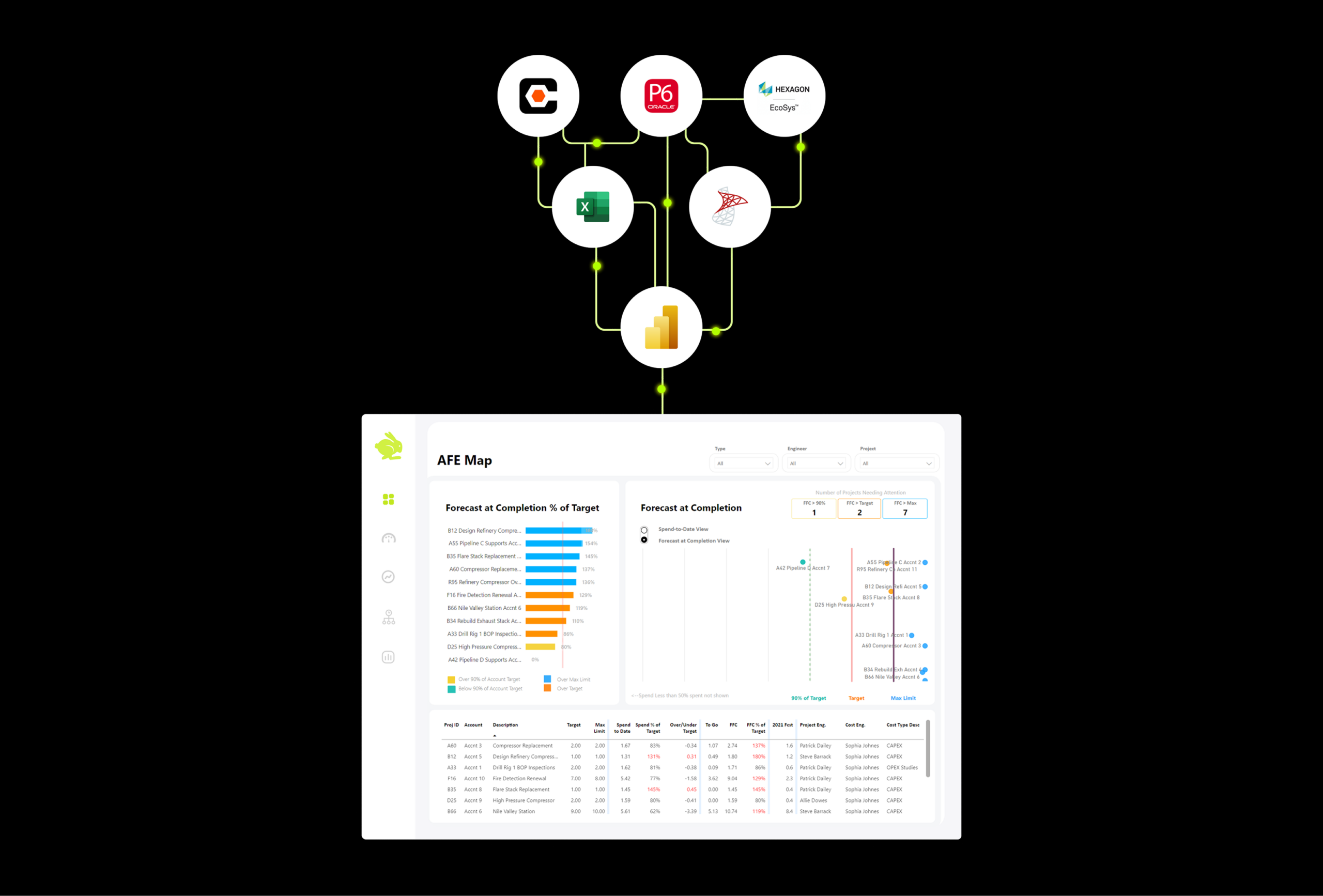
"The bottleneck usually isn't Power BI. It's getting P6 to hand over its data in a format that Power BI can actually work with."
Oracle Primavera P6 is the scheduling backbone for most major capital projects. Power BI is one of the best reporting tools on the market. You’d think connecting them would be straightforward.
It is not.
If you’ve tried to pull P6 data into Power BI and hit a wall, you’re in good company. This is one of the most common frustrations we hear from project controls teams, and the reasons why it’s hard are worth understanding before you spend hours troubleshooting.
Why P6 Data Is Uniquely Difficult to Work With
P6 stores data in a way that makes sense for scheduling but not for reporting. An XER file, which is P6’s standard export format, can contain dozens of tables, each representing different aspects of project data such as tasks, resources, calendars, and project details. These tables are highly normalized, meaning the data is spread across many related tables rather than sitting in one clean, flat structure that Power BI can read directly. Ten Six
On top of that, one of the biggest limitations in using P6 data is the lack of time phased resource assignment data in standard exports. If your reporting needs include earned value, resource loading, or period-over-period cost tracking, you’re going to run into this quickly. LinkedIn
And if your P6 environment is hosted in the cloud through Oracle, the problem gets worse. Oracle makes it difficult to connect Power BI directly to the P6 database when it’s hosted on their infrastructure, which rules out the most direct integration path entirely. Microsoft Fabric Community
The Three Most Common Approaches
Most teams end up going one of three directions, each with real tradeoffs.
The first is the XER file route. You export an XER from P6 and import it into Power BI as a text file. Power BI will display the data tables available in the file, but each XER file will need to be denormalized, meaning broken up into many tables, before it becomes usable for reporting. This works, but it requires meaningful Power Query knowledge to do correctly, and it becomes a manual process every time you need fresh data. Ten Six
The second is connecting directly to the P6 database. If your P6 is running on an on-premise Oracle or SQL database, you can connect Power BI directly to it, though this requires database credentials, the right drivers installed, and someone who knows their way around the P6 schema. It’s more powerful than the XER route, but also more technically involved. Ten Six
The third is using a middleware tool or extract pipeline to move P6 data into a SQL Server database first, then connecting Power BI to that. This approach stores P6 data into a SQL Server database and automatically updates and refreshes it throughout the day, giving you a clean, stable source that Power BI can read reliably. It’s the most robust solution, and also the most work to set up correctly.
Where Most Teams Get Stuck
Even after picking an approach, there are a few places where things tend to break down.
Baseline dates are a common one. In XER or XML files, baseline start and finish dates are not stored in the same tables as current activity dates. Instead, baseline data is stored separately across multiple tables, which means a straightforward import won’t surface them without additional data modeling work. Microsoft Fabric Community
Data refresh is another. Getting a report working once is very different from having it update automatically with current schedule data. Most teams underestimate how much work goes into making P6 data refresh reliably on a schedule, especially when the source environment is cloud-hosted.
And then there’s the broader data model. P6 covers schedule. But a complete project controls report also needs cost data, often from a separate system entirely. Getting P6 and cost data to align on the same WBS structure, in the same reporting environment, is where a lot of well-intentioned Power BI projects stall out.
How Queryon Approaches It
This is a core part of what we do for capital project clients. We’ve worked through all three approaches across different environments and client setups, and we know where each one breaks down.
For most serious reporting needs, we design a data pipeline that extracts P6 data reliably, transforms it into a clean reporting structure, and feeds Power BI dashboards that update automatically. We also handle the integration with cost and procurement data, so schedule and cost reporting live in the same place rather than two separate tools that never quite agree.
If you’re building something from scratch and trying to figure out the right approach for your environment, that’s exactly the kind of conversation we’re set up to have.
Ready to Stop Fighting With Your Data?
Queryon helps capital project teams build reporting systems that work. If P6 and Power BI are on your list, we’d love to help you figure out the right path forward.