"The bottleneck in most project controls environments isn't data availability. It's the time it takes to turn that data into something leadership can act on."
AI tools are changing how analysts build reports, write formulas, and troubleshoot data. Here’s why Power BI and Claude are a combination worth paying attention to.
Power BI Is Powerful — But It Has a Learning Curve 
Power BI can do a lot. Dynamic dashboards, complex calculations, automated reporting — it’s one of the most capable BI tools on the market. But anyone who’s spent time wrestling with a DAX formula they can’t get right, or digging through documentation to figure out why a visual isn’t behaving, knows that the learning curve is real.
That’s where AI tools like Claude are starting to make a genuine difference.
What Claude Actually Helps With 
Claude is an AI assistant made by Anthropic, and it’s become a go-to tool for data teams who want to move faster without sacrificing quality. In the context of Power BI, it’s useful in a few key ways:
- Writing and debugging DAX measures — describe what you’re trying to calculate, and Claude can generate the formula or spot what’s wrong with yours
- M query help — Power Query transformations can get complicated fast; Claude can help write and explain them in plain English
- Report logic and structure — not sure how to model a calculation or approach a reporting requirement? Claude can talk through options
- Documentation — getting Claude to document what a report does, or explain it to a stakeholder, saves real time
The key thing to understand is that Claude doesn’t connect directly to Power BI — it’s not a plugin or native integration (at least not yet). It works best as a smart collaborator alongside your existing workflow.
Claude Code: For the More Technical Side 
Claude Code is Anthropic’s tool for working directly in code environments — writing, editing, and running code with AI assistance. For Power BI teams doing more advanced work, like building Python scripts for data prep, automating report generation, or working with the Power BI REST API, Claude Code can handle tasks that used to require a lot of manual effort or specialist knowledge.
It’s worth knowing this exists, especially if your team is dealing with anything beyond standard report building. But like most powerful tools, the more technical the use case, the more it helps to have someone who knows what they’re doing guiding the implementation.
Where It Gets Interesting for Project Controls Teams 
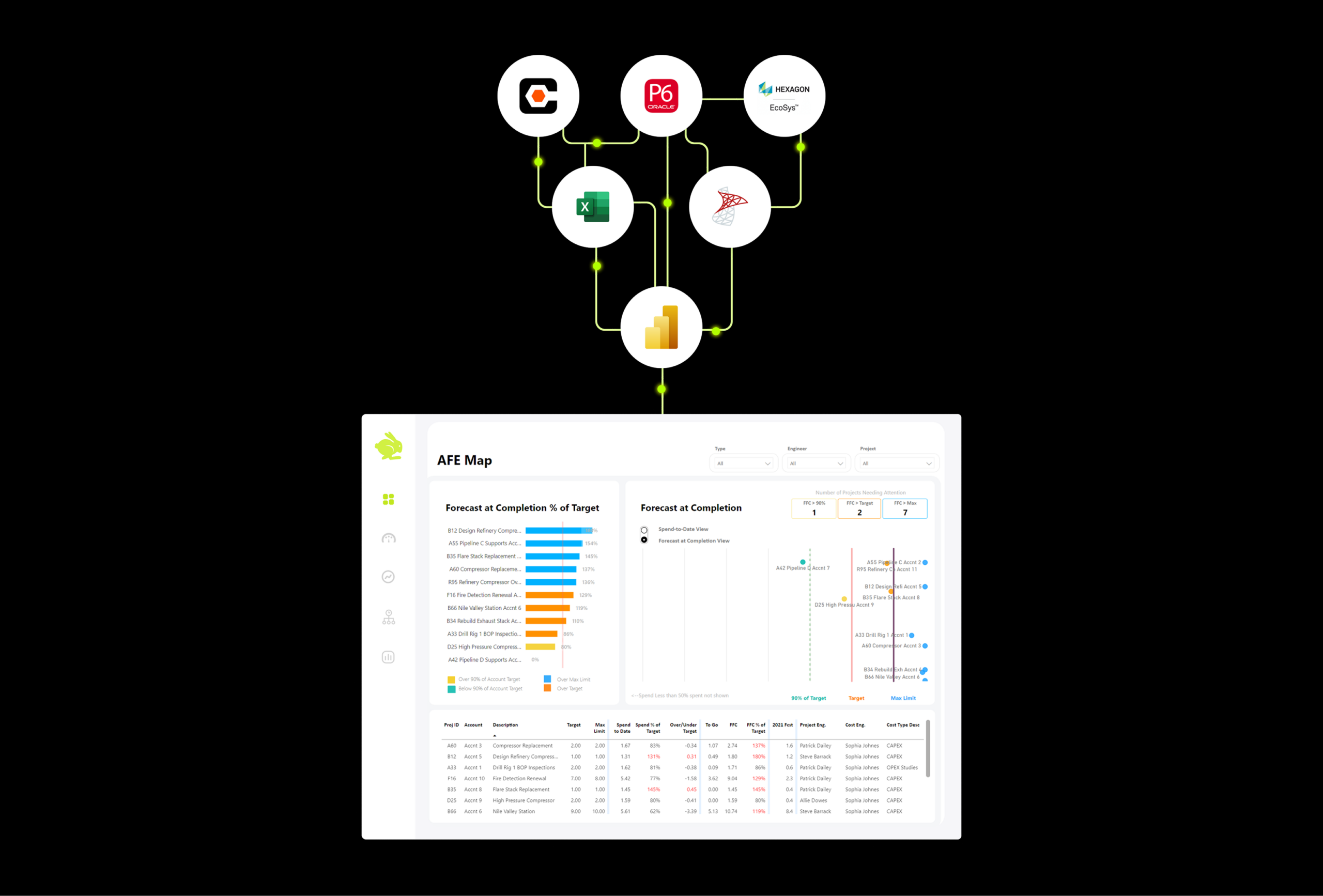
For organizations managing capital projects — where data is coming from P6, Procore, SAP, and a dozen Excel trackers — the ability to move faster on the reporting side matters a lot. AI assistance means analysts spend less time on the mechanical parts of building reports and more time on actual analysis and interpretation.
That’s a meaningful shift. The bottleneck in most project controls environments isn’t data availability — it’s the time it takes to turn that data into something leadership can act on.
How Queryon Uses It for Clients 
We’ll be honest: we use Claude and Claude Code in our own workflow. It’s part of how our team moves quickly and delivers well-built Power BI solutions for clients in construction and capital projects.
That doesn’t mean AI is doing the work — it means our team is using every good tool available to build better, faster. The strategy, the data modeling, the client-specific reporting logic — that still requires experience and judgment that no AI tool replaces. But for the parts of the job where AI genuinely helps, we’re not leaving that on the table.
If you’re a Power BI user curious about where to start with AI tools, the answer is usually: just start. Ask Claude a question you’d normally Google. See if it saves you time. Most people who try it don’t go back.
And if you’re at the point where your Power BI environment is complex enough that you’re not sure how AI tools fit in — that’s a good conversation to have with someone who’s already figured it out.
Curious What This Could Look Like for Your Team?
Queryon helps capital project organizations build reporting systems that are fast, reliable, and built to scale. If you want to see how we work — AI tools and all — we’d love to connect.